Applications
MolnOS Applications provides a registration system for external applications that integrate with MolnOS authentication. Register applications with custom redirect URLs for secure OAuth and magic link authentication flows.
Features
Section titled “Features”Application Registration
Section titled “Application Registration”Register external applications with display names, descriptions, and allowed redirect URIs. Each application gets a unique application ID for authentication flows.
Redirect URI Management
Section titled “Redirect URI Management”Define one or more allowed redirect URIs for your application. MolnOS validates redirect URLs during authentication to prevent unauthorized redirects.
Owner-Based Access Control
Section titled “Owner-Based Access Control”Applications are owned by the identity that creates them. Only owners can view, update, or delete their applications, ensuring secure application management.
Magic Link Integration
Section titled “Magic Link Integration”Integrate applications with MolnOS’s magic link authentication. Users receive magic links via email and are automatically redirected to your application with authentication tokens.
Common Use Cases
Section titled “Common Use Cases”- Web Applications: Integrate web apps with MolnOS authentication using magic links
- Mobile Apps: Authenticate mobile applications with redirect-based flows
- Third-Party Integrations: Allow external services to authenticate against MolnOS
- Multi-Tenant Applications: Register separate applications for different tenants or environments
- Development Environments: Register different applications for dev, staging, and production
How It Works
Section titled “How It Works”Console
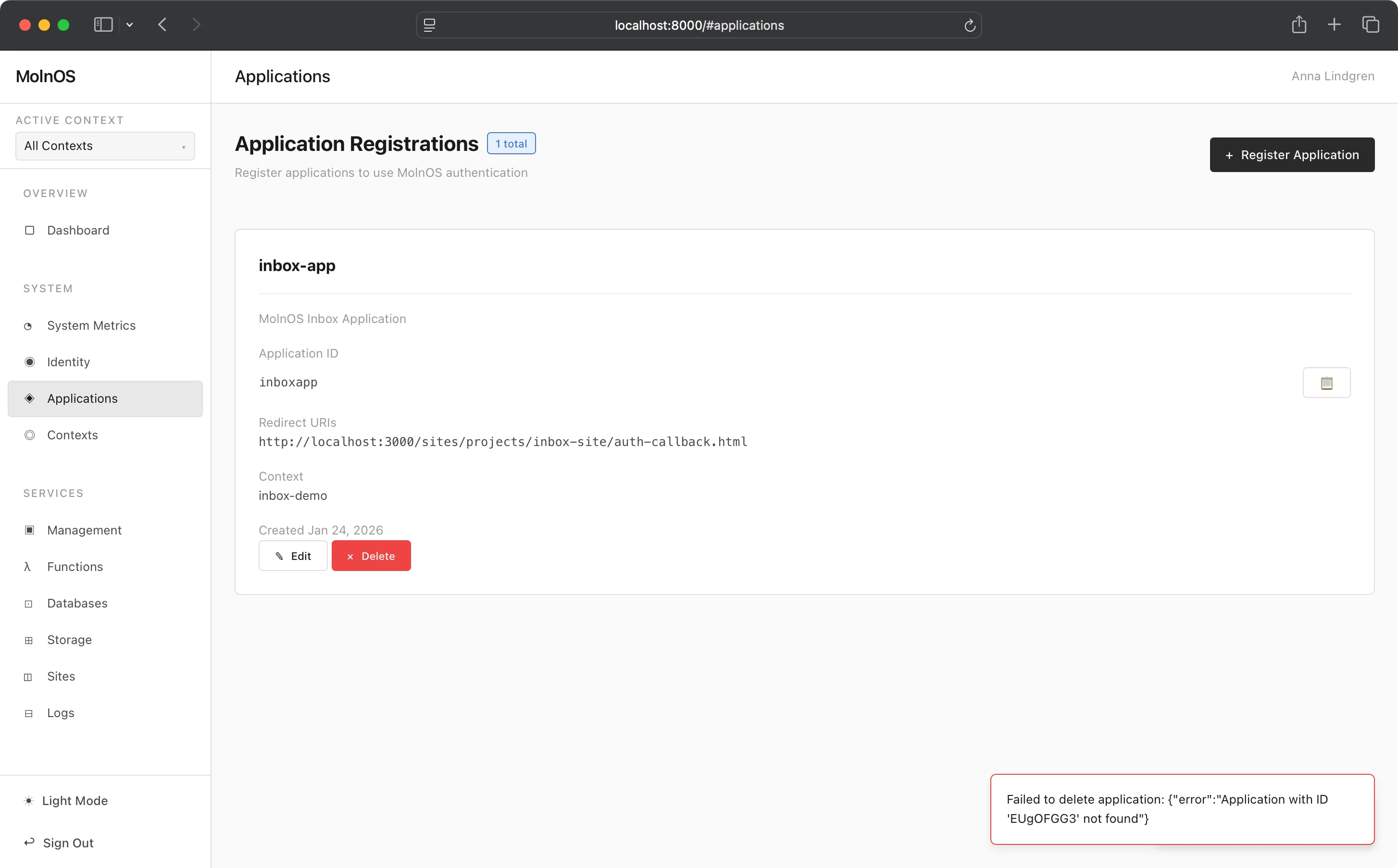
Section titled “Console”The principal activity that users want to perform in this view is to register their applications that want to use MolnOS auth capabilities to provide passwordless (email) signin.
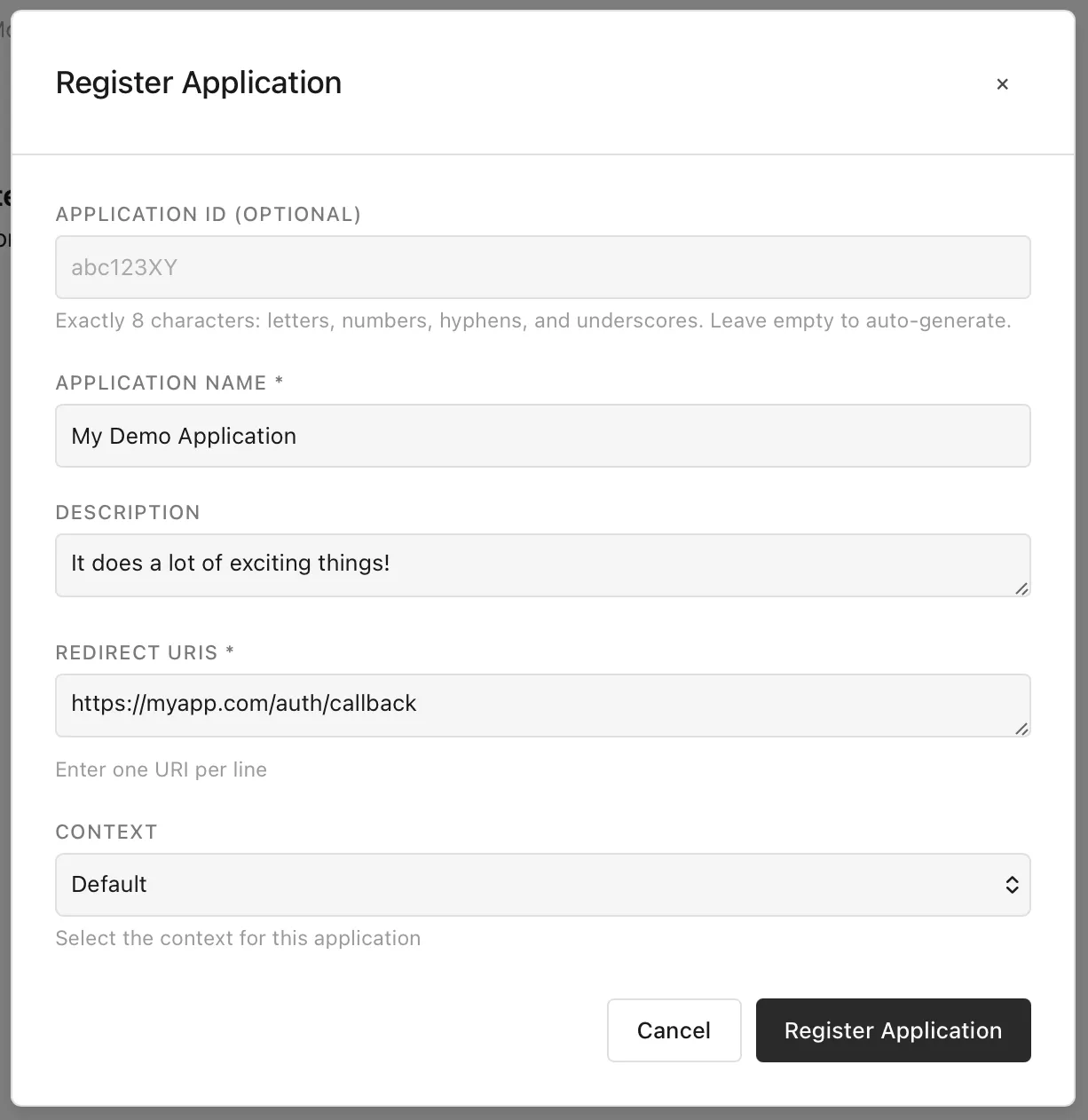
Doing this is very straightforward—simply provide a name, description and what the allowed redirect URIs are supposed to be.
Applications are managed through the HTTP API at /applications/* endpoints.
List Applications
Section titled “List Applications”GET /applicationsReturns all applications owned by the authenticated user:
{ "applications": [ { "id": "01234567-89ab-cdef-0123-456789abcdef", "name": "My Web App", "description": "A web application built on MolnOS", "redirectUris": ["https://myapp.example.com/auth/callback"], "metadata": { "createdAt": "2025-12-19T10:00:00.000Z", "updatedAt": "2025-12-19T10:00:00.000Z", "createdBy": "user-id-123" }, "owners": ["user-id-123"] } ], "total": 1}Create Application
Section titled “Create Application”POST /applicationsRegister a new application:
{ "name": "My Web App", "description": "A web application built on MolnOS", "redirectUris": ["https://myapp.example.com/auth/callback"]}Parameters:
name(required) - Display name of the applicationdescription(optional) - Application descriptionredirectUris(required) - Array of allowed redirect URIs
Response:
{ "id": "01234567-89ab-cdef-0123-456789abcdef", "name": "My Web App", "description": "A web application built on MolnOS", "redirectUris": ["https://myapp.example.com/auth/callback"], "metadata": { "createdAt": "2025-12-19T10:00:00.000Z", "updatedAt": "2025-12-19T10:00:00.000Z", "createdBy": "user-id-123" }, "owners": ["user-id-123"]}Get Application
Section titled “Get Application”GET /applications/{id}Returns application details. Only owners can view.
Update Application
Section titled “Update Application”PATCH /applications/{id}Update application properties:
{ "name": "Updated App Name", "description": "Updated description", "redirectUris": [ "https://myapp.example.com/auth/callback", "https://myapp.example.com/auth/callback2" ]}All fields are optional. Only owners can update.
Delete Application
Section titled “Delete Application”DELETE /applications/{id}Deletes an application. Only owners can delete.
Authentication Flow
Section titled “Authentication Flow”Initiate Login with Redirect
Section titled “Initiate Login with Redirect”POST /auth/loginWhen initiating a login flow with a redirect URL, provide both redirectUrl and applicationId:
{ "redirectUrl": "https://myapp.example.com/auth/callback", "applicationId": "01234567-89ab-cdef-0123-456789abcdef"}MolnOS validates that the redirectUrl matches one of the registered URIs for the application. The user receives a magic link via email.
Verify Magic Link
Section titled “Verify Magic Link”When the user clicks the magic link, MolnOS verifies the token at /auth/verify?token=...&email=....
For logins initiated with an application redirect, MolnOS automatically redirects to the specified redirect URL with authentication tokens as query parameters:
https://myapp.example.com/auth/callback?access_token=...&refresh_token=...&expires_in=3600For logins without an application redirect, MolnOS returns tokens as JSON response.
Application operations using the MolnOS CLI:
# List all applicationsmolnos apps list
# Create a new applicationmolnos apps create "My Web App" "A web application" https://myapp.com/callback
# Create with multiple redirect URIsmolnos apps create "My App" "Description" https://myapp.com/callback https://myapp.com/callback2
# Get application detailsmolnos apps get <application-id>
# Update applicationmolnos apps update <application-id> '{"name":"Updated Name","redirectUris":["https://example.com/callback"]}'
# Delete applicationmolnos apps delete <application-id>
Permissions
Section titled “Permissions”Application operations require appropriate permissions:
applications.application.create- Register new applicationsapplications.application.list- List applicationsapplications.application.read- View application detailsapplications.application.update- Update application propertiesapplications.application.delete- Delete applications
Applications use owner-based access control. Only users listed in the owners array can perform operations on an application, regardless of their role permissions.
Security Considerations
Section titled “Security Considerations”Redirect URI Validation
Section titled “Redirect URI Validation”MolnOS strictly validates redirect URLs against registered URIs. The redirect URL provided during login must exactly match one of the application’s registered redirectUris.
This prevents unauthorized redirects and protects against:
- Open redirect vulnerabilities
- Token theft via malicious redirects
- Phishing attacks using similar-looking domains
HTTPS Requirement
Section titled “HTTPS Requirement”Production applications should use HTTPS for all redirect URIs to protect authentication tokens in transit.
Token Handling
Section titled “Token Handling”Authentication tokens are passed as query parameters in the redirect URL. Your application should:
- Extract tokens from the URL immediately upon redirect
- Store tokens securely (e.g., httpOnly cookies, secure storage)
- Remove tokens from the URL (e.g., using replaceState)
- Never log or expose tokens in client-side code
Application ID Protection
Section titled “Application ID Protection”While application IDs are not secret, they should be treated as sensitive configuration. Store them in environment variables or secure configuration management systems.
Integration Example
Section titled “Integration Example”Here’s a complete example of integrating an application with MolnOS authentication:
1. Register Application
Section titled “1. Register Application”POST /applications{ "name": "My Web App", "description": "Production web application", "redirectUris": ["https://myapp.example.com/auth/callback"]}Save the returned id (e.g., abc123...).
2. Initiate Login
Section titled “2. Initiate Login”When a user clicks “Sign in with MolnOS” in your application:
// Redirect user to your backend endpointwindow.location.href = '/auth/start-login?email=' + encodeURIComponent(email);Your backend initiates the MolnOS login:
// Backend endpointapp.post('/auth/start-login', async (req, res) => {  await fetch('https://molnos.example.com/auth/login', {    method: 'POST',    headers: { 'Content-Type': 'application/json' },    body: JSON.stringify({      email: req.body.email,      redirectUrl: 'https://myapp.example.com/auth/callback',      applicationId: process.env.MOLNOS_APP_ID    })  });
  res.json({ success: true, message: 'Check your email for magic link' });});
3. Handle Redirect
Section titled “3. Handle Redirect”User clicks magic link in email and is redirected to your callback URL:
// https://myapp.example.com/auth/callbackapp.get('/auth/callback', (req, res) => {  // Note: MolnOS returns tokens with snake_case parameter names  const { access_token, refresh_token, expires_in } = req.query;
  // Store tokens securely in httpOnly cookies  // MolnOS passes tokens as query parameters; your application should  // immediately move them to secure storage and remove from URL  res.cookie('accessToken', access_token, {    httpOnly: true,    secure: true,    maxAge: expires_in * 1000  });
  res.cookie('refreshToken', refresh_token, {    httpOnly: true,    secure: true,    maxAge: 30 * 24 * 60 * 60 * 1000 // 30 days  });
  // Redirect to application dashboard  res.redirect('/dashboard');});
4. Use Tokens
Section titled “4. Use Tokens”Make authenticated requests to MolnOS APIs:
app.get('/api/user-data', async (req, res) => {  const accessToken = req.cookies.accessToken;
  const response = await fetch('https://molnos.example.com/identity/whoami', {    headers: {      'Authorization': `Bearer ${accessToken}`    }  });
  const user = await response.json();  res.json(user);});
5. Refresh Tokens
Section titled “5. Refresh Tokens”When access token expires, use refresh token to get a new one:
app.post('/auth/refresh', async (req, res) => {  const refreshToken = req.cookies.refreshToken;
  const response = await fetch('https://molnos.example.com/auth/refresh', {    method: 'POST',    headers: { 'Content-Type': 'application/json' },    body: JSON.stringify({ refreshToken })  });
  const { accessToken, expiresIn } = await response.json();
  res.cookie('accessToken', accessToken, {    httpOnly: true,    secure: true,    maxAge: expiresIn * 1000  });
  res.json({ success: true });});