Databases
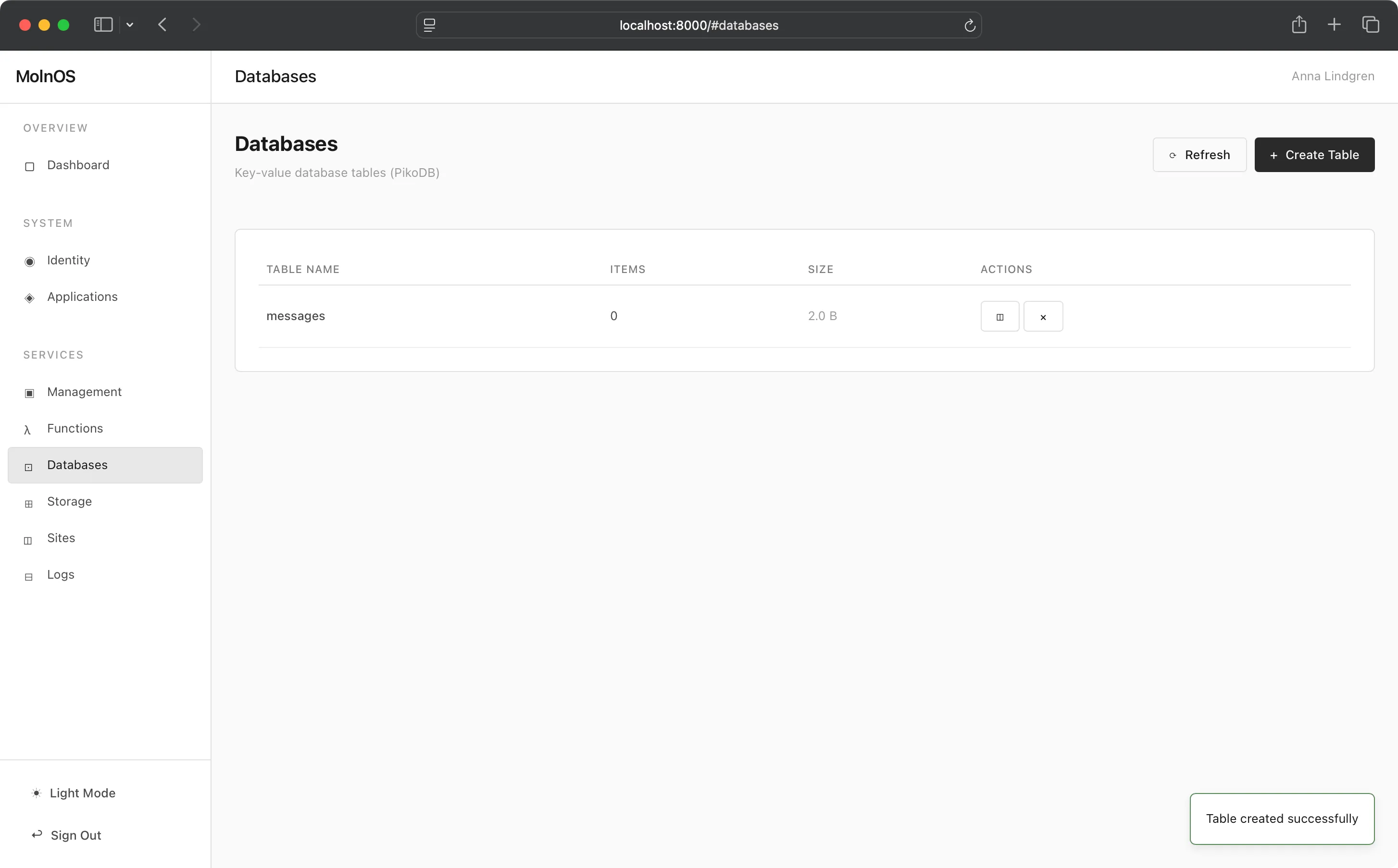
MolnOS Databases provides a simple, fast key-value database system built on PikoDB. Store and retrieve structured data with support for tables, TTL (time-to-live), and optional dictionary grouping.
Features
Section titled “Features”Table Management
Section titled “Table Management”Organize your data into tables. Each table is an isolated namespace for key-value pairs, allowing logical separation of different data types.
Key-Value Storage
Section titled “Key-Value Storage”Store any JSON-serializable data against string keys. Values can be objects, arrays, strings, numbers, or any valid JSON structure.
Time-to-Live (TTL)
Section titled “Time-to-Live (TTL)”Set expiration times on values with TTL support. Values automatically expire after the specified duration, perfect for caching and temporary data.
Dictionary Grouping
Section titled “Dictionary Grouping”Optionally organize values within tables using dictionary names. Group related data together for easier management and querying.
Table Statistics
Section titled “Table Statistics”View table-level statistics including item counts and storage size. Monitor table growth and usage patterns.
Item Listing
Section titled “Item Listing”List all items (key-value pairs) within a table for inspection and debugging.
Common Use Cases
Section titled “Common Use Cases”- Application State: Store user sessions, shopping carts, and temporary application state
- Caching: Cache expensive computations or API responses with TTL
- Configuration: Store application configuration and feature flags
- User Preferences: Store user settings and preferences
- Counters: Track metrics, page views, and event counts
- Rate Limiting: Implement rate limiting with TTL-based counters
- Queues: Simple task queues and job tracking
How It Works
Section titled “How It Works”Console
Section titled “Console”The Console allows creating, editing, reading, and deleting items and tables.
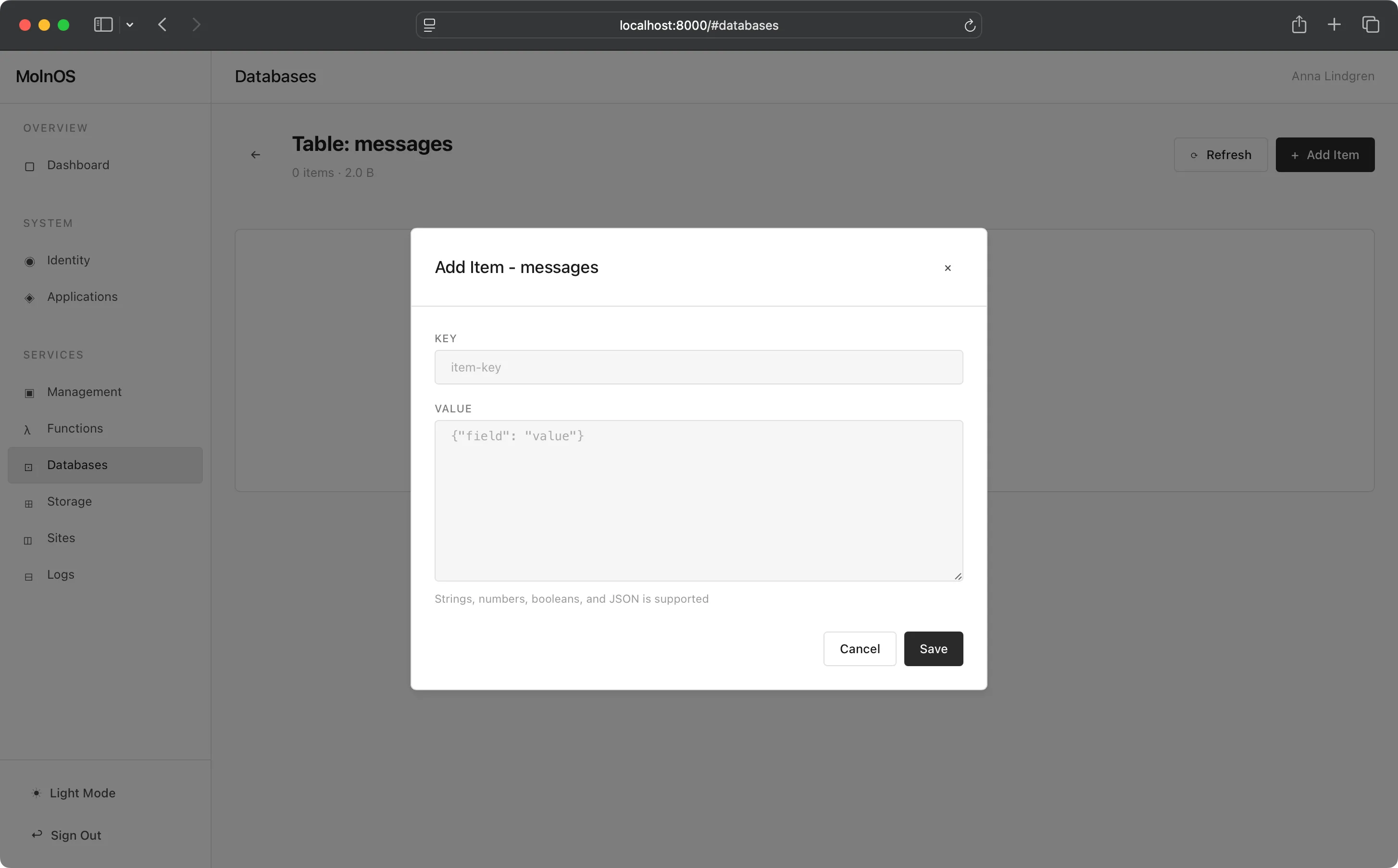
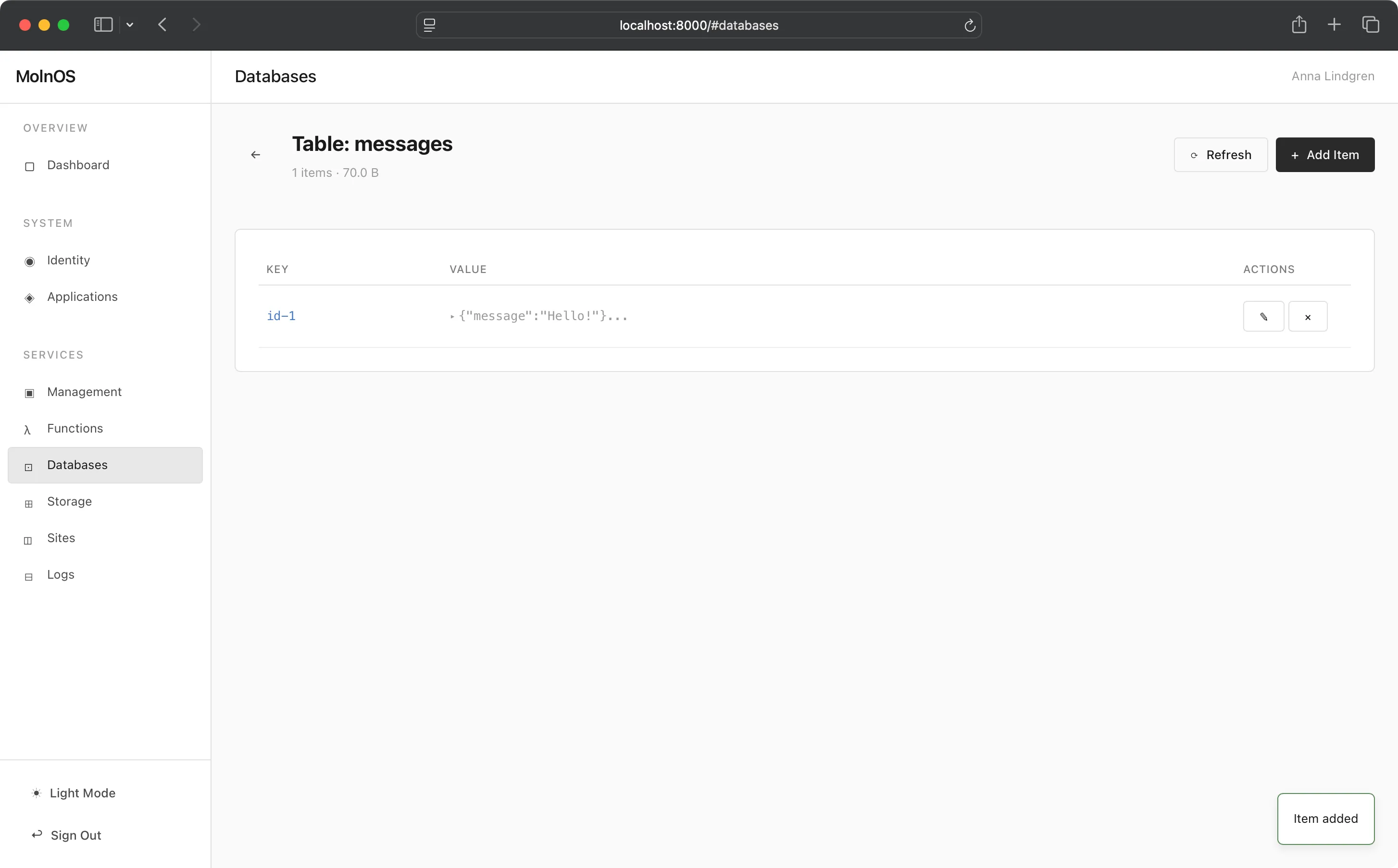
Databases are managed through the HTTP API at /databases/* endpoints.
List Tables
Section titled “List Tables”GET /databases/tablesReturns all database tables with metadata:
{ "tables": [ { "name": "users", "items": 150, "size": "2.3 KB" }, { "name": "sessions", "items": 42, "size": "1.1 KB" } ]}Create Table
Section titled “Create Table”POST /databases/tables/{tableName}Creates a new empty table. Optionally associate it with a context:
{ "context": "my-app"}Parameters:
context(optional) - Context name to associate this table with for organizational grouping
Response:
{ "success": true, "name": "users", "message": "Table created successfully"}Get Table Details
Section titled “Get Table Details”GET /databases/tables/{tableName}Returns detailed information about a table:
{ "name": "users", "items": 150, "size": "2.3 KB"}Get Table Size
Section titled “Get Table Size”GET /databases/table?tableName=usersReturns the number of items in a table:
150List Items in Table
Section titled “List Items in Table”GET /databases/tables/{tableName}/itemsReturns all key-value pairs in a table:
{ "items": [ { "key": "user_123", "value": { "id": "user_123", "name": "Jane Doe", } }, { "key": "user_456", "value": { "id": "user_456", "name": "John Smith", } } ]}Delete Table
Section titled “Delete Table”DELETE /databases/tables/{tableName}Deletes an entire table and all its data:
{ "success": true, "name": "users", "message": "Table deleted successfully"}Write Value
Section titled “Write Value”POST /databases/writeWrite a value to a table:
{ "tableName": "users", "key": "user_123", "value": { "id": "user_123", "name": "Jane Doe", "preferences": { "theme": "dark", "notifications": true } }, "expiration": 3600, "dictionaryName": "active-users"}Parameters:
tableName(required) - The table to write tokey(optional) - The key for this value (if omitted, only table is created)value(required) - The JSON value to storeexpiration(optional) - TTL in secondsdictionaryName(optional) - Group this value in a dictionary
Response:
{ "success": true}Get Value
Section titled “Get Value”POST /databases/getRetrieve a value by key:
{ "tableName": "users", "key": "user_123"}Response:
{ "id": "user_123", "name": "Jane Doe", "preferences": { "theme": "dark", "notifications": true }}Delete Value
Section titled “Delete Value”DELETE /databases/delete?tableName=users&key=user_123Deletes a specific key-value pair:
{ "success": true}Database operations using the MolnOS CLI:
# List all tablesmolnos db tables
# Create tablemolnos db table create users
# Get table detailsmolnos db table get users
# Get table size (number of items)molnos db table size users
# List all items in tablemolnos db table items users
# Delete tablemolnos db table delete users
# Write value to table
# Get value from tablemolnos db get users user_123
# Delete value from tablemolnos db delete users user_123Note: TTL (time-to-live) and dictionary support are available through the API but not yet exposed in the CLI.
Permissions
Section titled “Permissions”Database operations require appropriate permissions:
databases.table.create- Create new tablesdatabases.table.get- List tables, view statistics, and read specific table detailsdatabases.table.delete- Delete tables and delete values from tablesdatabases.table.update- Write values to tables
Fine-grained permissions can target specific tables:
databases.table.update:users- Write access to users table onlydatabases.table.get:sessions- Read access to sessions table onlydatabases.table.delete:sessions- Delete items from sessions table only
Data Modeling Best Practices
Section titled “Data Modeling Best Practices”Choose Meaningful Keys
Section titled “Choose Meaningful Keys”Use descriptive, hierarchical keys that reflect your data structure:
user:123:profileuser:123:settingsuser:123:sessions:abcUse TTL for Temporary Data
Section titled “Use TTL for Temporary Data”Set expiration times on temporary data to avoid manual cleanup:
{ "tableName": "sessions", "key": "session_abc123", "value": {"userId": "user_123", "createdAt": "2025-12-19T10:00:00Z"}, "expiration": 86400}Group Related Data
Section titled “Group Related Data”Use dictionary names to organize related values:
{ "tableName": "users", "key": "user_123", "value": {...}, "dictionaryName": "active-users"}Store Denormalized Data
Section titled “Store Denormalized Data”Key-value stores work best with denormalized data. Store complete objects rather than references:
Good:
{ "key": "order_123", "value": { "id": "order_123", "user": { "id": "user_456", "name": "Jane Doe", }, "items": [...] }}Avoid:
{ "key": "order_123", "value": { "id": "order_123", "userId": "user_456" }}Index Important Fields
Section titled “Index Important Fields”For frequently queried fields, create separate index entries:
// Main user record{ "key": "user:123",}
// Email index{ "value": "user:123"}Performance Considerations
Section titled “Performance Considerations”- Keys are indexed for fast lookup
- Values are stored as JSON and parsed on read
- Large values (>1MB) may impact performance
- Use TTL to automatically clean up expired data
- Batch writes when possible to reduce round trips