Functions
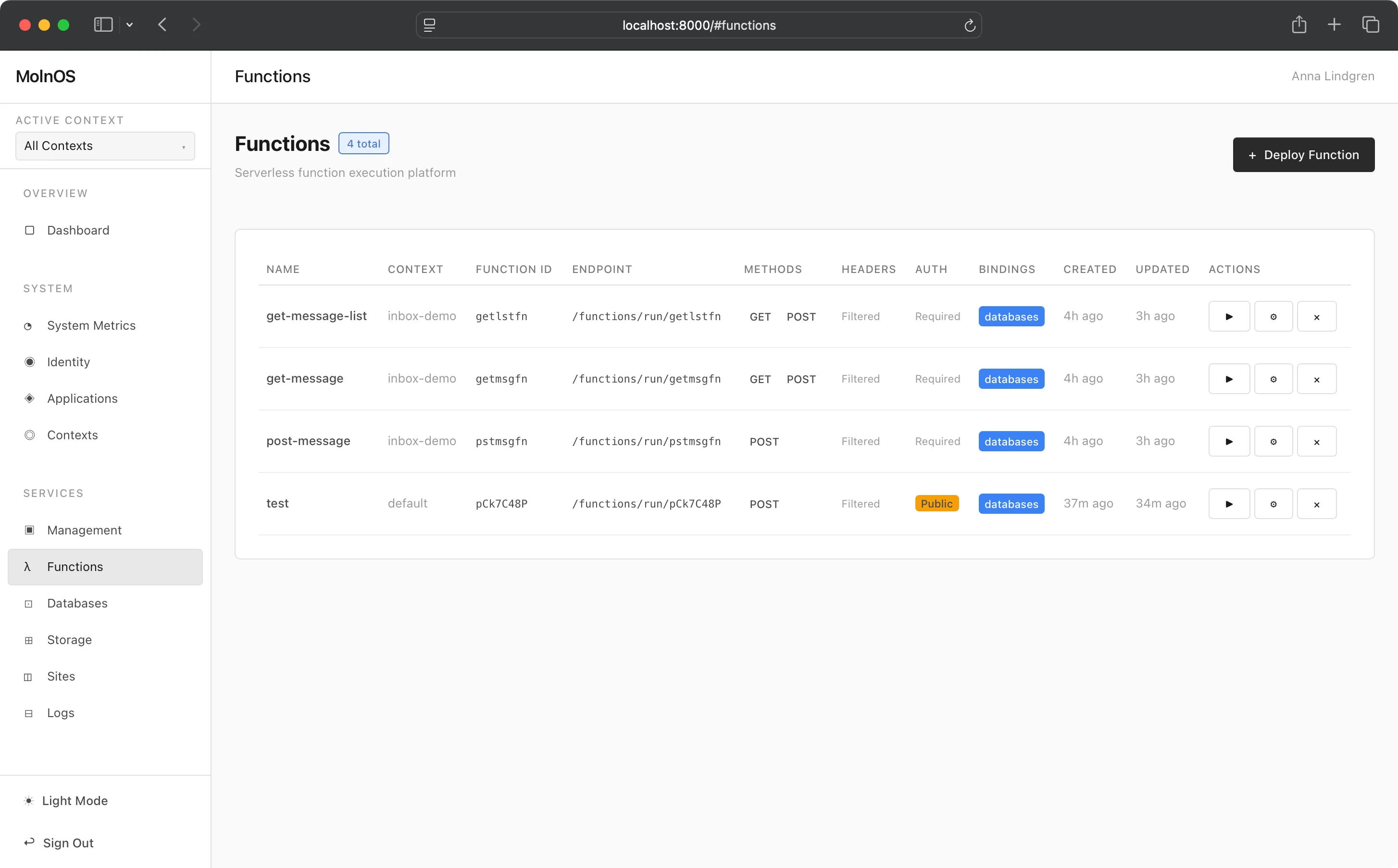
MolnOS Functions provides a lightweight serverless computing platform that lets you deploy and execute JavaScript functions on-demand. Deploy code without managing infrastructure, with built-in service bindings for secure access to other MolnOS services. Functions can be triggered via HTTP requests, events, or both—you choose explicitly how each function is invoked.
Features
Section titled “Features”Deploy Serverless Functions
Section titled “Deploy Serverless Functions”Write and deploy JavaScript functions that execute on-demand. Functions are isolated, versioned, and can be updated independently. Each function explicitly declares its triggers—HTTP, events, or both.
HTTP Method Restrictions
Section titled “HTTP Method Restrictions”Control which HTTP methods your function accepts (GET, POST, PUT, PATCH, DELETE, etc.). Functions can be configured to respond to specific methods only, returning 405 Method Not Allowed for others.
Service Bindings
Section titled “Service Bindings”Functions can declare secure bindings to other MolnOS services (databases, events, schemas, storage, observability, etc.). Each function automatically gets its own service account with minimal, scoped permissions based on declared bindings.
Three granularity levels:
- Service-level: Access to entire service
- Resource-level: Access to all resources of a type (e.g., all tables)
- Action-level: Access to specific resources only (e.g., read/write to specific tables)
Trigger Configuration
Section titled “Trigger Configuration”Functions require explicit trigger configuration via the triggers array. Each function declares one or more triggers that determine how it can be invoked:
{ "type": "http" }— Makes the function callable via HTTP requests.{ "type": "event", "eventName": "..." }— Subscribes the function to a named event from the in-process event bus.
You can combine both trigger types on a single function. If a function only has event triggers (no http trigger), it will not be accessible via HTTP and returns a 404 if called directly.
Event-triggered functions have built-in infinite loop protection with a configurable chain depth limit.
Wildcard Path Routing
Section titled “Wildcard Path Routing”Functions support wildcard paths, allowing you to deploy entire bundled APIs with internal routing. The function receives additional path segments in context.request.subpath.
Function Introspection
Section titled “Function Introspection”View deployed functions, their configurations, source code, and metadata. Track creation and update timestamps.
Common Use Cases
Section titled “Common Use Cases”- API Endpoints: Deploy REST APIs or GraphQL endpoints without running dedicated servers
- Webhooks: Process incoming webhook events from external services
- Data Processing: Transform data, process uploads, or generate reports on-demand
- Scheduled Jobs: Combined with external schedulers, execute periodic tasks
- Microservices: Deploy small, focused services that communicate via HTTP
- Edge Computing: Deploy lightweight compute close to your data sources
How It Works
Section titled “How It Works”Console
Section titled “Console”You can easily deploy function through the Console.
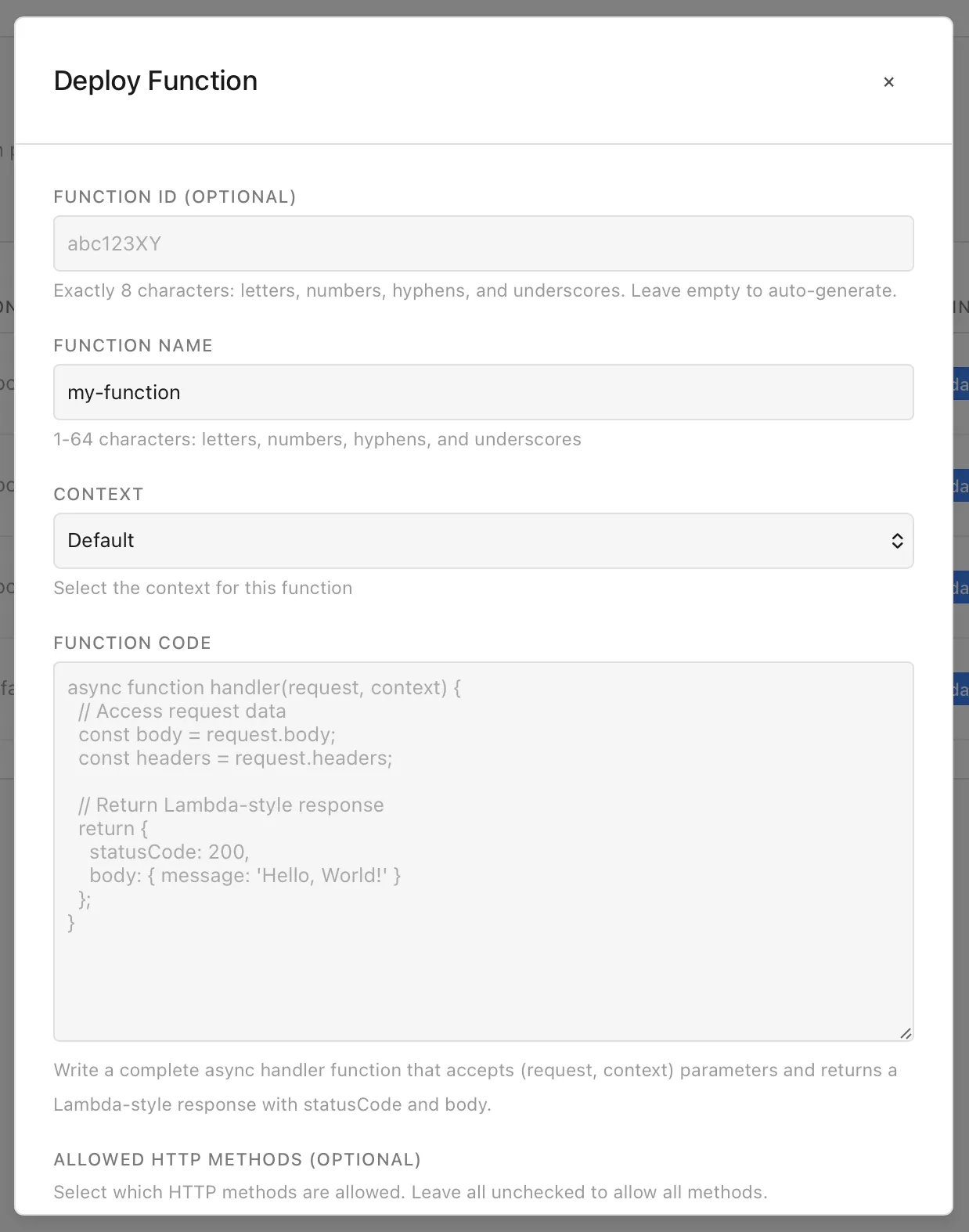
Currently, only Database are supported as a target service for bindings.
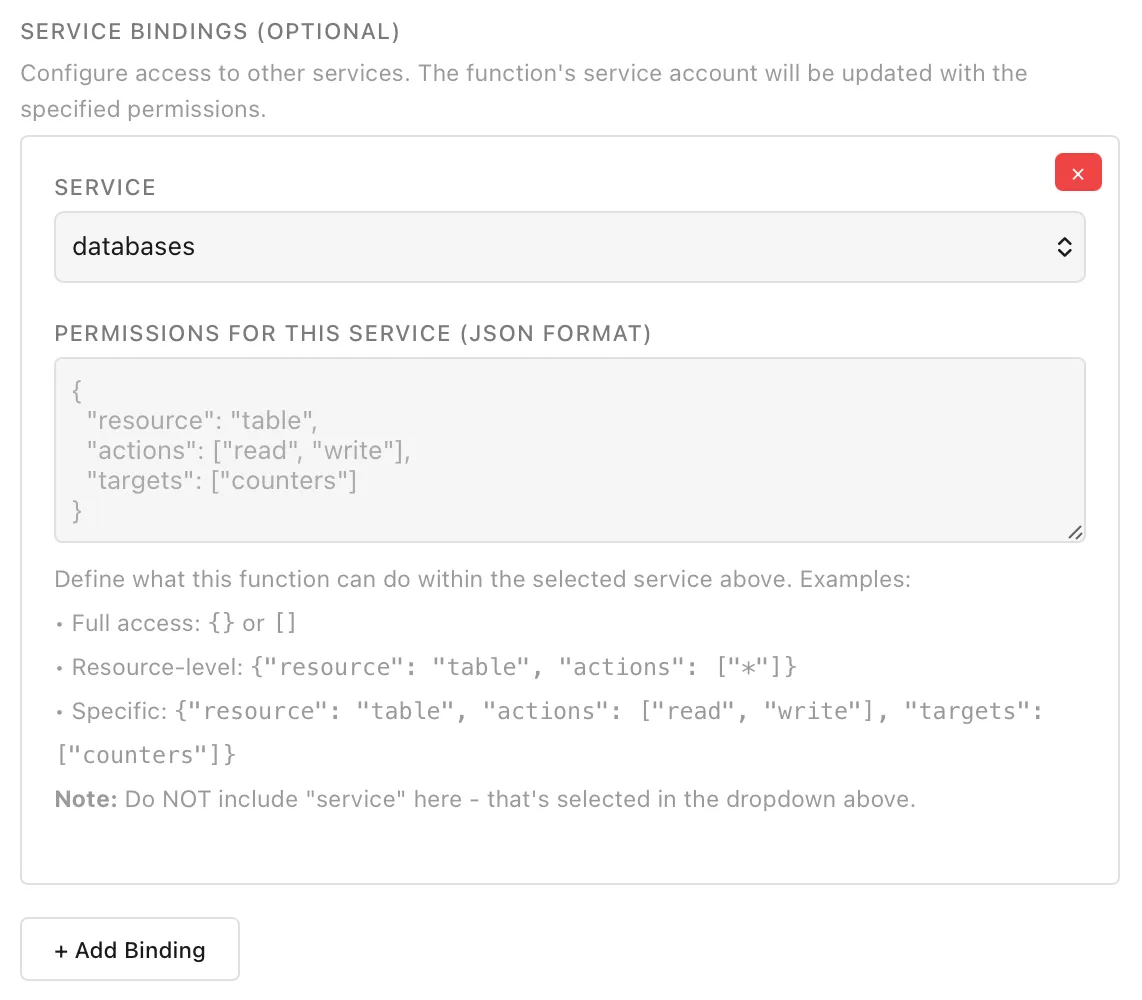
Deployed functions can be tested, using any supporting HTTP methods and payloads you might want to test with.
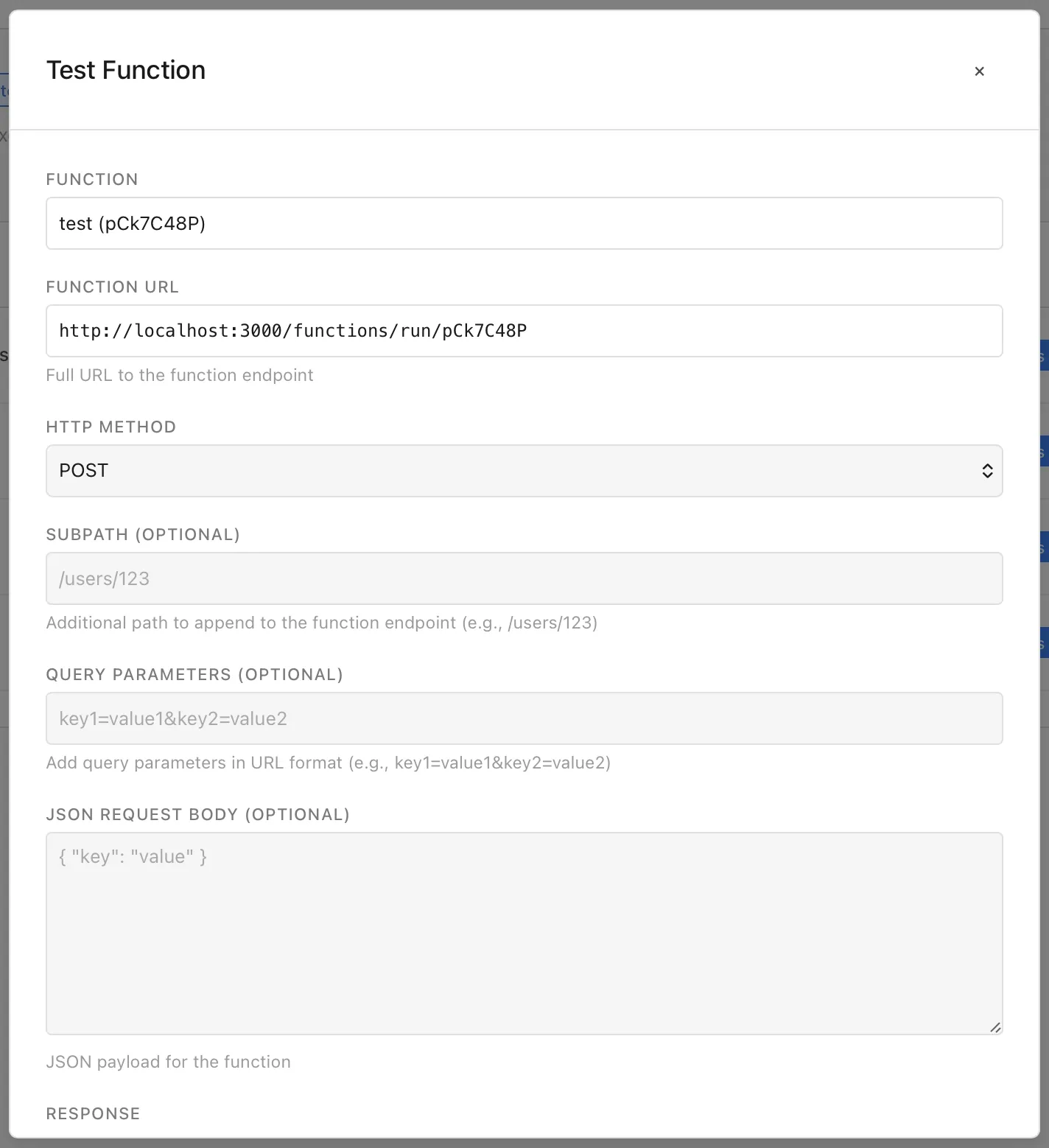
You get response back in a readable format, making it easy to test and trial your code.
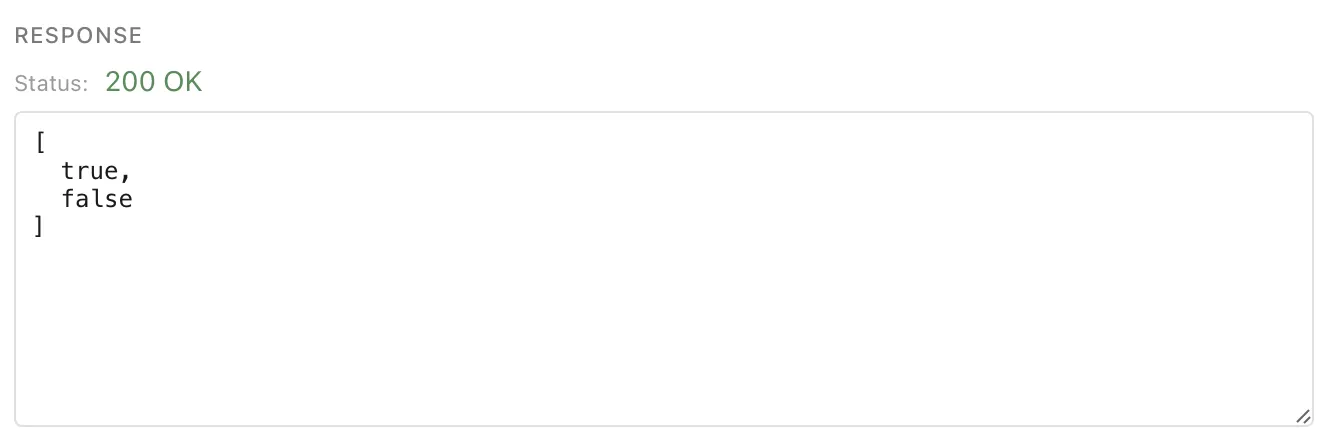
Functions are managed through the HTTP API at /functions/* endpoints.
Deploy a Function
Section titled “Deploy a Function”POST /functions/deployDeploy a new function with code, trigger configuration, optional HTTP method restrictions, and service bindings:
{ "name": "my-function", "code": "async function handler(request, context) { return { statusCode: 200, body: { message: 'Hello World' } }; }", "methods": ["GET", "POST"], "triggers": [ { "type": "http" }, { "type": "event", "eventName": "order-created" } ], "allowUnauthenticated": false, "passAllHeaders": false, "bindings": [ { "service": "databases", "permissions": [ { "resource": "table", "actions": ["read", "write"], "targets": ["users-table"] } ] } ]}Trigger examples:
HTTP-only function:
{ "name": "my-api", "code": "async function handler(request, context) { return { statusCode: 200, body: { ok: true } }; }", "triggers": [{ "type": "http" }]}Event-only function (not HTTP-accessible):
{ "name": "order-processor", "code": "async function handler(event, context) { return { statusCode: 200, body: { processed: true } }; }", "triggers": [ { "type": "event", "eventName": "order.created" }, { "type": "event", "eventName": "order.updated" } ]}Hybrid function (both HTTP and event triggers):
{ "name": "dual-trigger", "code": "async function handler(request, context) { return { statusCode: 200, body: { handled: true } }; }", "triggers": [ { "type": "http" }, { "type": "event", "eventName": "data.synced" } ]}Deploy Parameters:
name(required) - Function name/identifiercode(required) - Function code as stringmethods(optional) - Array of allowed HTTP methods (default: all methods allowed)triggers(recommended) - Array of trigger configurations. Each entry must have atypeof"http"or"event". Event triggers require aneventName. If omitted, the function defaults to being HTTP-accessible. If specified with only event triggers, the function is not HTTP-accessibleallowUnauthenticated(optional) - Allow unauthenticated access (default:false)passAllHeaders(optional) - Pass all request headers to function (default:false)bindings(optional) - Service bindings configurationcontext(optional) - Context name to associate this function with for organizational grouping
Function Code Format: Functions must be async functions that accept (request, context) parameters and return an object with statusCode and body.
Request object contains: method, path, subpath, query, headers, body
Context object contains: request, functionId, functionName, bindings
Authentication: By default, functions require authentication. Set allowUnauthenticated: true to allow public access.
List Functions
Section titled “List Functions”GET /functions/listReturns all deployed functions with metadata.
Get Function Details
Section titled “Get Function Details”GET /functions/{functionId}Returns function metadata including endpoint, methods, and bindings.
Get Function Configuration
Section titled “Get Function Configuration”GET /functions/{functionId}/configReturns full function configuration including source code.
Update Function
Section titled “Update Function”PUT /functions/{functionId}Update function code, methods, bindings, or configuration. All fields are optional:
{ "code": "async function handler(request, context) { return { statusCode: 200, body: { message: 'Updated' } }; }", "methods": ["GET"], "allowUnauthenticated": true, "passAllHeaders": true, "bindings": [...]}Delete Function
Section titled “Delete Function”DELETE /functions/{functionId}Removes a deployed function.
Execute Function
Section titled “Execute Function”GET /functions/run/{functionId}POST /functions/run/{functionId}Execute a function with optional request body. Supports wildcard paths:
GET /functions/run/{functionId}/api/users/123The function receives /api/users/123 in context.request.subpath.
Get Function Statistics
Section titled “Get Function Statistics”GET /functions/statsReturns statistics about deployed functions.
Function operations using the MolnOS CLI:
# List all functionsmolnos functions list
# Deploy a functionmolnos functions deploy my-function handler.js
# Deploy an HTTP-triggered functionmolnos functions deploy my-function handler.js --triggers='[{"type":"http"}]'
# Deploy an event-triggered functionmolnos functions deploy my-function handler.js --triggers='[{"type":"event","eventName":"order.created"}]'
# Deploy with both HTTP and event triggersmolnos functions deploy my-function handler.js --triggers='[{"type":"http"},{"type":"event","eventName":"order.created"}]'
# Deploy with HTTP method restrictionsmolnos functions deploy my-function handler.js --methods=GET,POST --triggers='[{"type":"http"}]'
# Deploy with service bindingsmolnos functions deploy my-function handler.js --bindings='[{"service":"databases","permissions":[{"resource":"table","actions":["read","write"],"targets":["users-table"]}]}]'
# Deploy allowing unauthenticated accessmolnos functions deploy my-function handler.js --allow-unauthenticated
# Get function detailsmolnos functions get <function-id>
# Get function configuration (including source code)molnos functions config <function-id>
# Update function codemolnos functions update <function-id> updated-handler.js
# Update function with new methodsmolnos functions update <function-id> --methods=GET
# Delete functionmolnos functions delete <function-id>
# Invoke/execute a functionmolnos functions invoke <function-id>molnos functions invoke <function-id> POST '{"key":"value"}'
# Get function statisticsmolnos functions stats
Permissions
Section titled “Permissions”Functions require appropriate permissions to deploy, update, execute, and delete:
functions.create- Deploy new functionsfunctions.read- View function detailsfunctions.update- Update existing functionsfunctions.delete- Delete functionsfunctions.execute- Execute functionsfunctions.bindings.create:{service}- Create bindings to specific services
When deploying functions with service bindings, the deploying user must have functions.bindings.create:{service} permission for each service the function will access.